 SettlementBooks
Bookkeeping for owner-operators under their own authority
Follow one load from rate confirmation to money in the bank. It takes about two minutes in the app. The broker, load and numbers in these pictures are made up.
Before you start
Switch the app to your own authority once: Settings > Your business > I got my own authority. Pick the date it started and tap Switch. The app then opens Business & tax so you can add the MC number and payment terms that print on your invoices.
Settlements already in the app stay in your books, and you can still upload the last few from your old carrier. If you factor, turn on I use a factoring company in Business & tax and add their name, email, fee and advance; invoices then tell the broker to pay the factor only.
1Scan the rate con (rate confirmation)
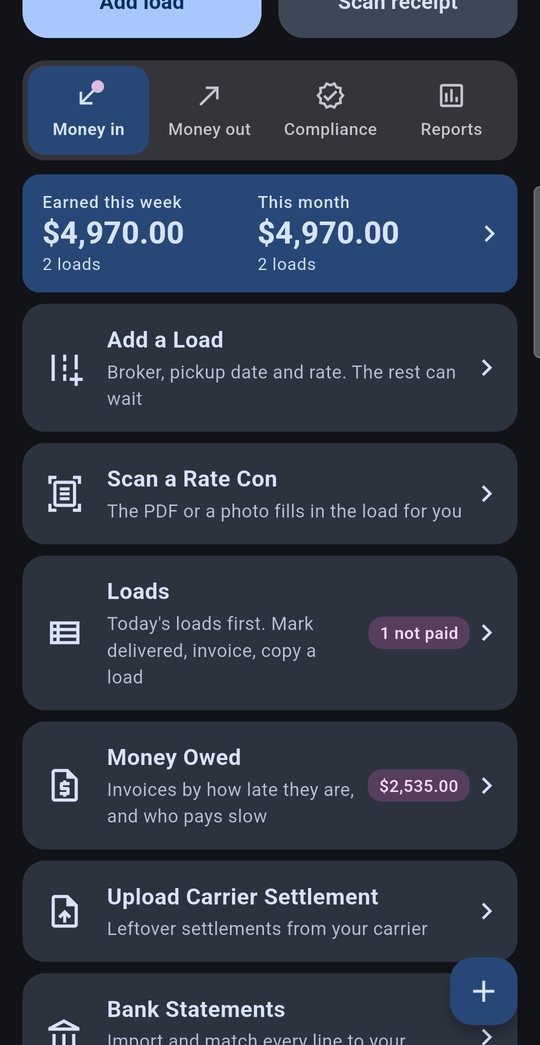
On the home screen, open the Money in tab and tap Scan a Rate Con.
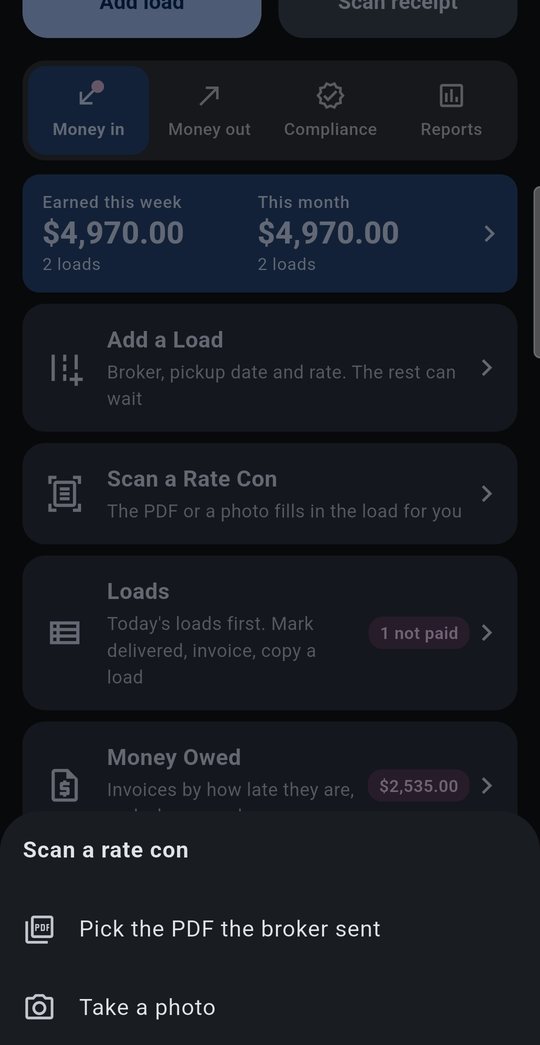
Pick the PDF the broker emailed you, or take a photo of a paper copy.
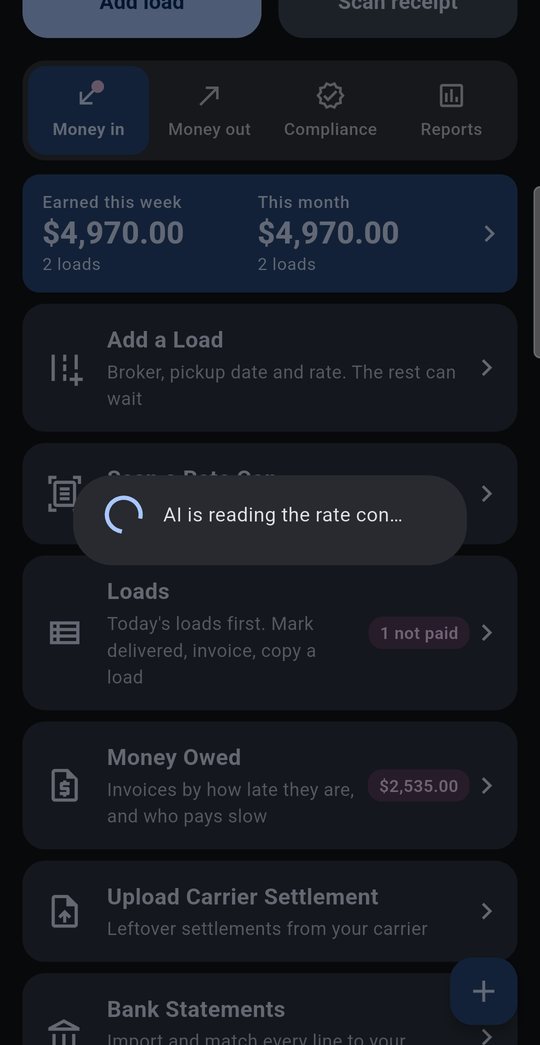
The phone needs a signal for this step; the app's reader fills in the load for you in a few seconds.
2Check what it read
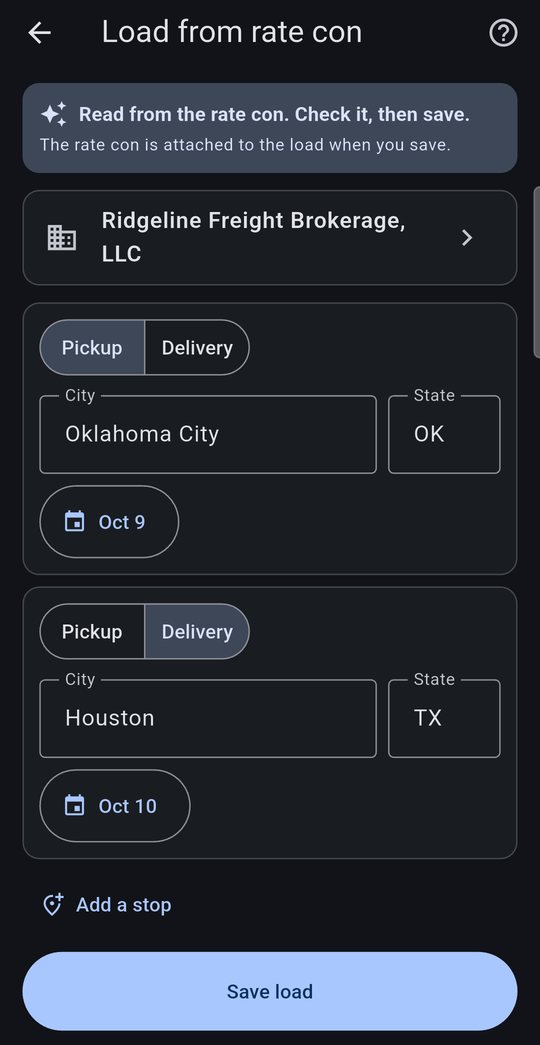
The broker, pickup and delivery cities and dates, the rate, the load number, miles and fuel surcharge come straight off the rate con.
Look it over, fix anything that's off, and pick the truck and driver.
The rate con PDF is saved with the load, so it goes out with the invoice later.
3Write down the odometer
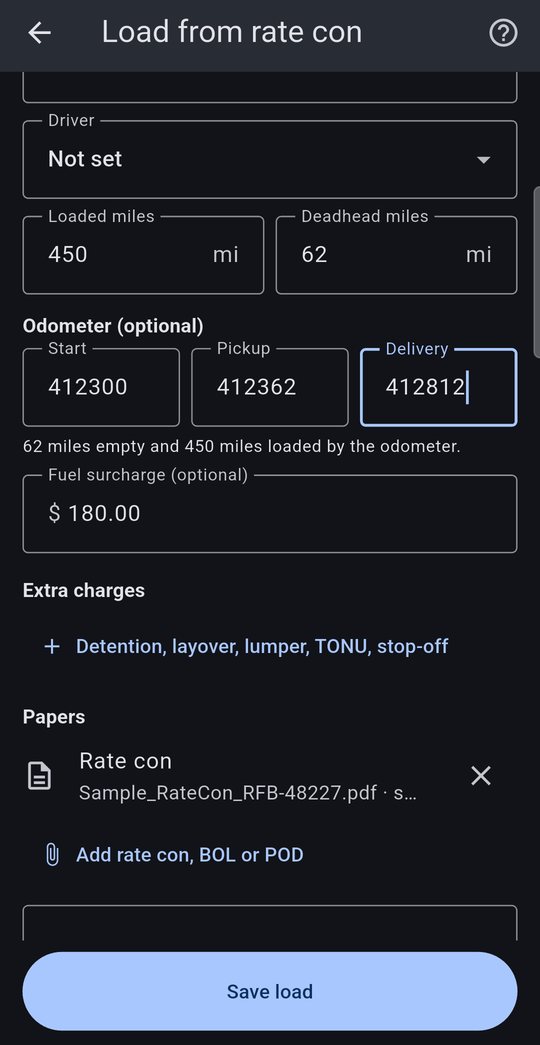
Three readings, all optional:
- Start when you leave empty for the pickup
- Pickup when you're loaded
- Delivery when you're empty again
The app works out your deadhead and loaded miles from them (here, 62 empty and 450 loaded), so you always have a record of empty miles from the truck itself.
Tap Save load.
4Mark it delivered
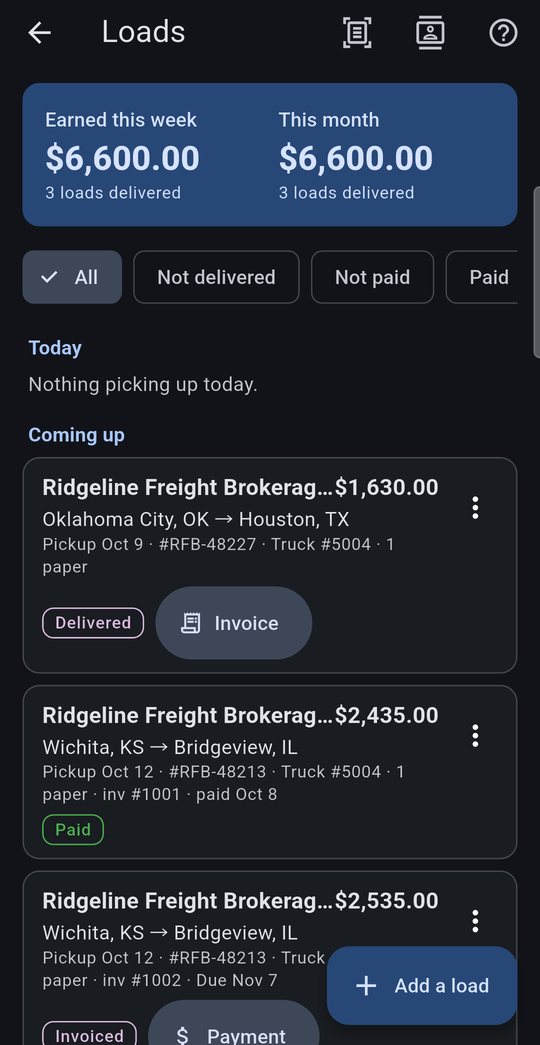
Open Loads. Each load has one button that moves it to the next step: Delivered, then Invoice, then Payment.
Tap Delivered when you drop. The load now counts in Earned this week and the button changes to Invoice.
The ⋮ menu copies a load (handy for a regular lane) or records one paid without an invoice.
Saving the same load number twice? The app asks first, so a rate con scanned twice doesn't get billed twice.
5Invoice the broker
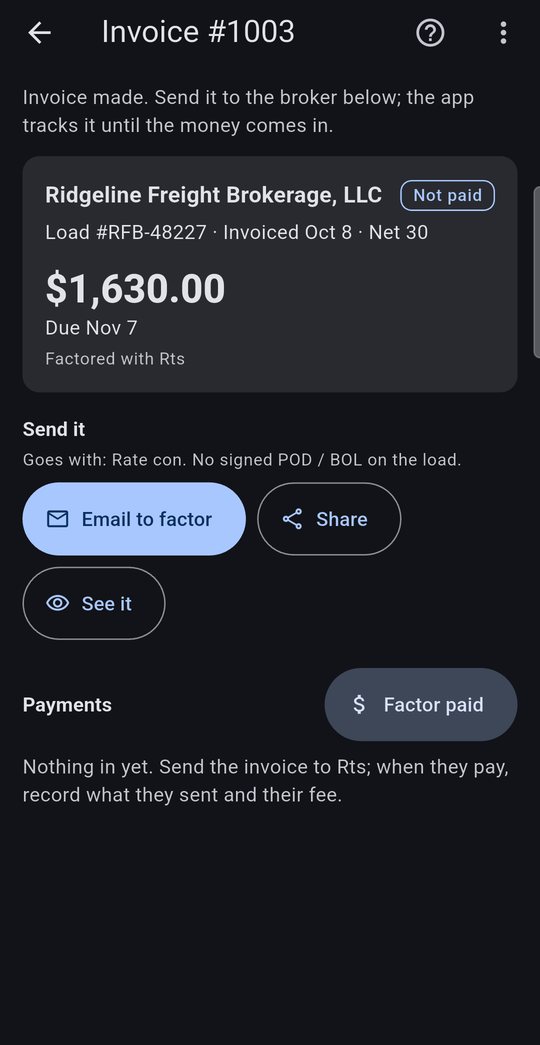
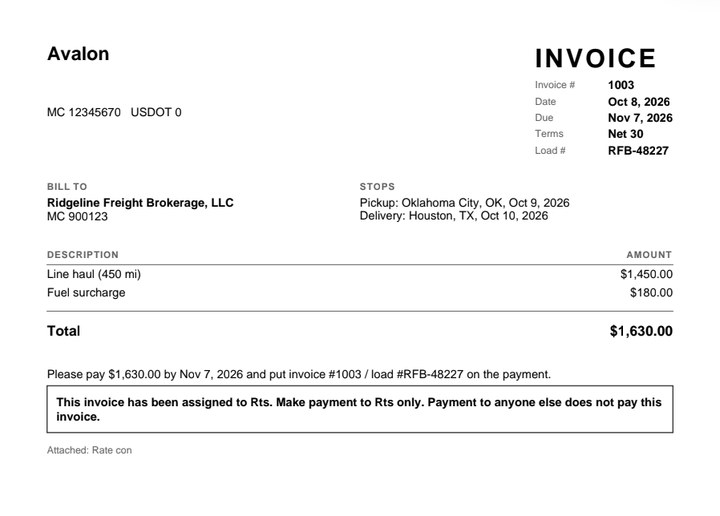
Tap Invoice. The app numbers it, sets the due date from the broker's terms and builds the PDF with the rate con attached.
Email to factor (or Email to broker if you don't factor) opens your email with the PDF attached. Share sends it to a broker portal app or Drive, and See it shows it first.
The rate con, BOL and signed POD on the load go in as extra pages, since most brokers won't pay without them.
6Record the payment
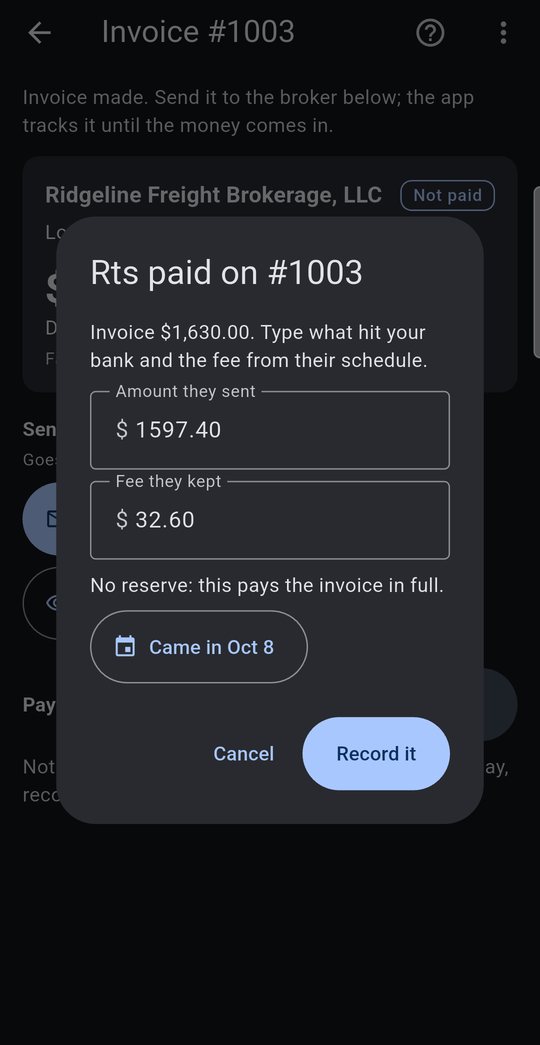
When the money hits your bank, open the invoice and record it.
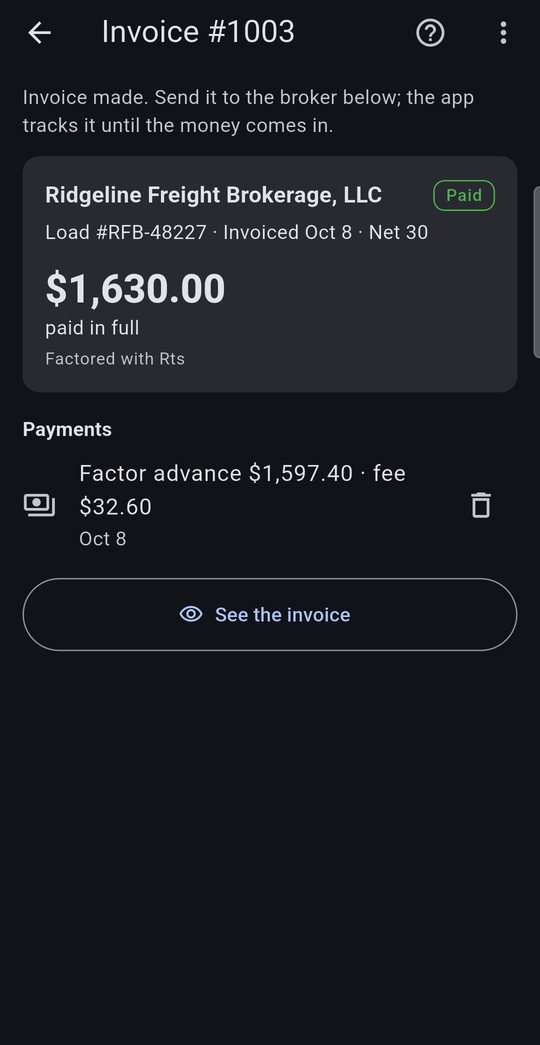
Factoring: tap Factor paid and check what they sent and the fee they kept. Anything they hold back (the reserve) stays in Money owed until you tap Reserve paid.
No factor: tap Payment on the load and enter what came in. Paid short? The rest stays owed, or tick That's all they're paying to close it.
The load counts as income on the day it's paid, and factoring or quick pay fees go in as their own expense.
Upload your bank statement and a matching deposit is offered as the payment, so you don't have to type it.
7See who still owes you
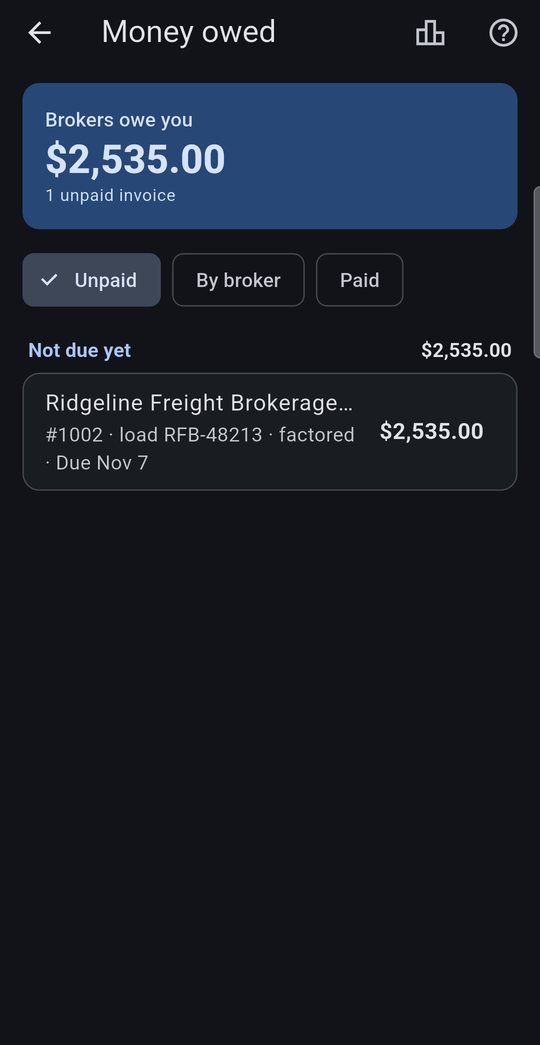
Money Owed (on the Money in tab) lists every unpaid invoice by how late it is: not due yet, 1–30, 31–60, 61–90 and 90+ days past due, with delivered loads that still need an invoice on top. Switch to By broker to see who pays slow.
The home screen warns you when an invoice is more than 30 days late or a delivered load has gone 2 days without an invoice.
8Know which brokers pay slowly
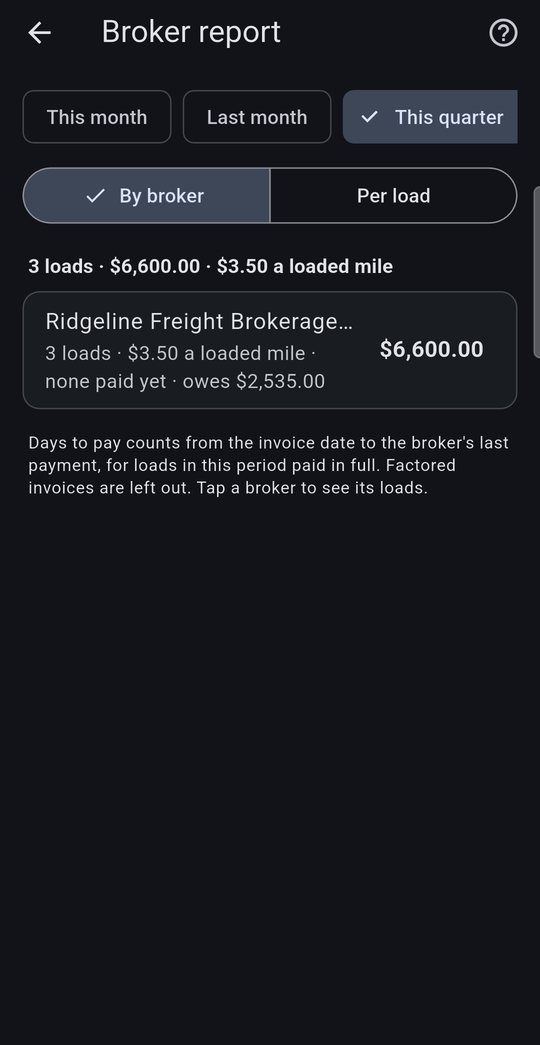
The Broker Report (Reports tab, or the chart button on Money Owed) shows loads, revenue, rate per loaded mile and how many days each broker takes to pay.
Use it to decide which lanes and brokers are worth your truck.
The quarterly package for your CPA adds an Invoices sheet and a Money owed sheet when you run under your own authority.
Questions? Tap the ? on any screen in the app, see Help, or email help@settlementbooks.com.